Let it write.
You press send.
Watch it read every conversation, spot the ones going cold, and draft the follow-up. Then watch it stop and wait for you.
Included from Business up · pay nothing per user · roll your credits over
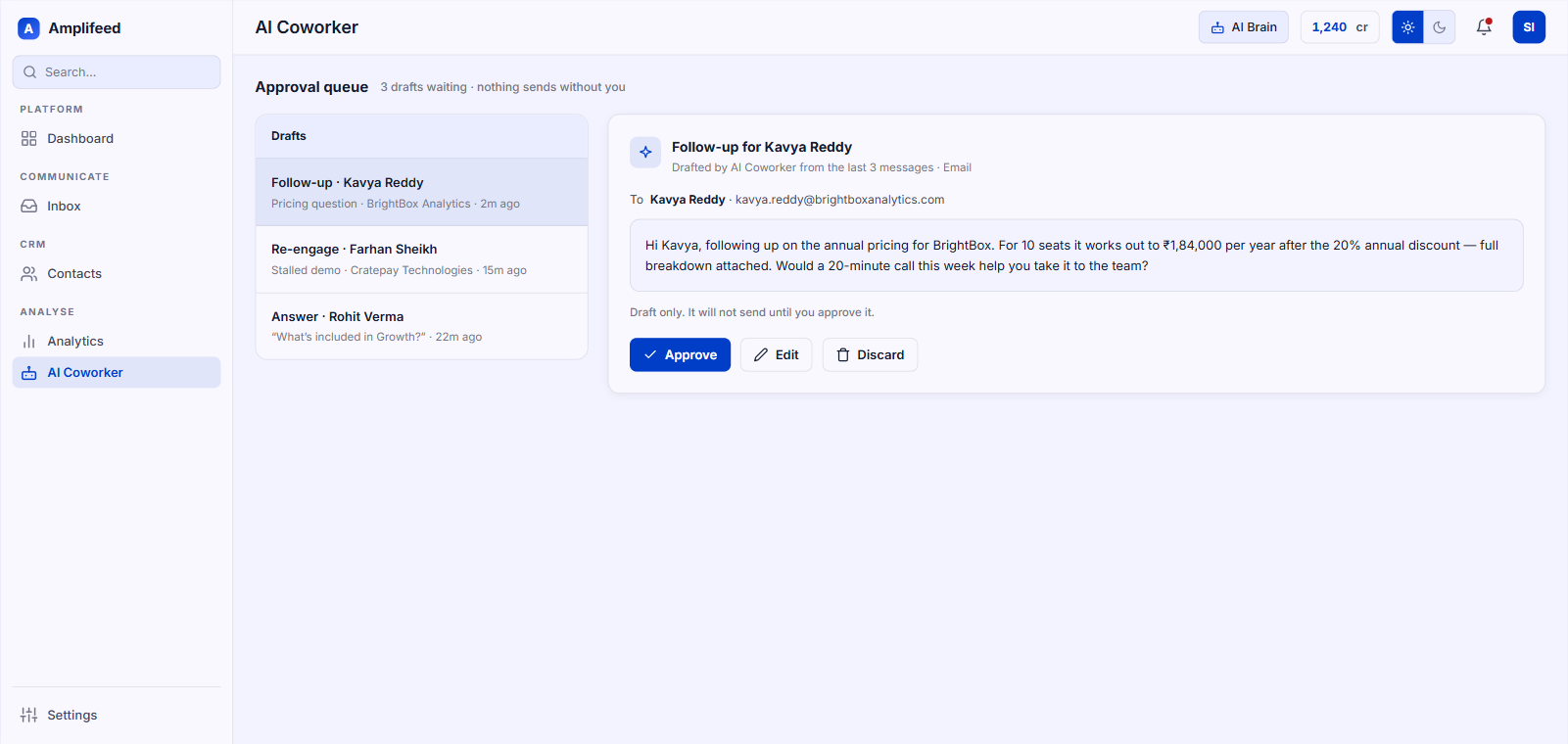
Run it for a week and judge it
Point it at your contacts
It reads what you've already said to them. Nothing goes out while it's reading.
Read the drafts at 9am
Eleven follow-ups, written overnight, sitting in a queue with your name on them.
Send the ones you like
Approve, edit or bin each one. Watch it write more like the ones you approved.
Approve it, edit it, or bin it
Get the chasing done without handing a machine the keys to your customers. Those two only clash if the machine can send. Ours can't.
Catch the ones going quiet overnight
Wake up to the enquiries nobody answered, the quotes opened and ignored, and a follow-up written for each using that person's real history.
Ask for a campaign in one sentence
Type it: send template 101 to the Iraq-based paediatric neurologists at 5pm Baghdad time. Watch it build the segment and show its working.
Trust it because it can't send
Stop it inventing facts about your business. Stop it messaging someone your rules excluded. Stop it going autonomous because a default flipped.
Book a 20-minute demoJudge us on the one number we have
“We built our entire automation layer in just 15 days. Zero leads slip through anymore.”
Ask the hard ones
Will it message customers without me?
No. Every draft stops in a queue and waits. That's the default, not a setting you go hunting for.
How does it know what to say?
Draws on your product information, past replies, price lists and docs, plus that contact's history. Says so when the answer isn't there.
Can I turn on automatic sending?
Yes, one journey at a time, deliberately. Most teams keep the queue for anything a customer reads.
Does it handle Hinglish?
Yes, and regional languages. Continues in whatever language the conversation started in.
Who hears about a good lead?
The owner, routed by your team structure, alerted on WhatsApp, SMS or email.
What's an AI credit?
One action: a message, a caption, an image, an answer. Video costs more and shows the cost first. Credits roll over.
Count the leads sitting quiet right now
Give us twenty minutes in your own account. We point it at your real contacts and you watch what surfaces. It can't send anything while you're watching, which is rather the point.